$cat login.mdOSINTHacknite 2.0
Login
Lea never changed her router's factory login, so one search for the manufacturer's default credentials was enough.
$man login
What this one teaches:
- Routers ship with factory credentials, many owners never change them, and the defaults are published online.
- Searching for a device's brand together with
default username password. - Using a small detail from the task, here an all-caps username, to choose between candidates.
Task description
Lea decided to buy a new router, but she has forgotten its username and password. She says she hasn’t changed them since she bought it, and all she remembers is that the username was in capital letters. Help Lea find the router’s default login details.
The original was in Croatian; this is my translation.
The login page
The task link opens a plain login form with Croatian labels: Korisničko ime (username) and Lozinka (password). The only clue about the device is a grey box under the button that says “Xfinity router”.
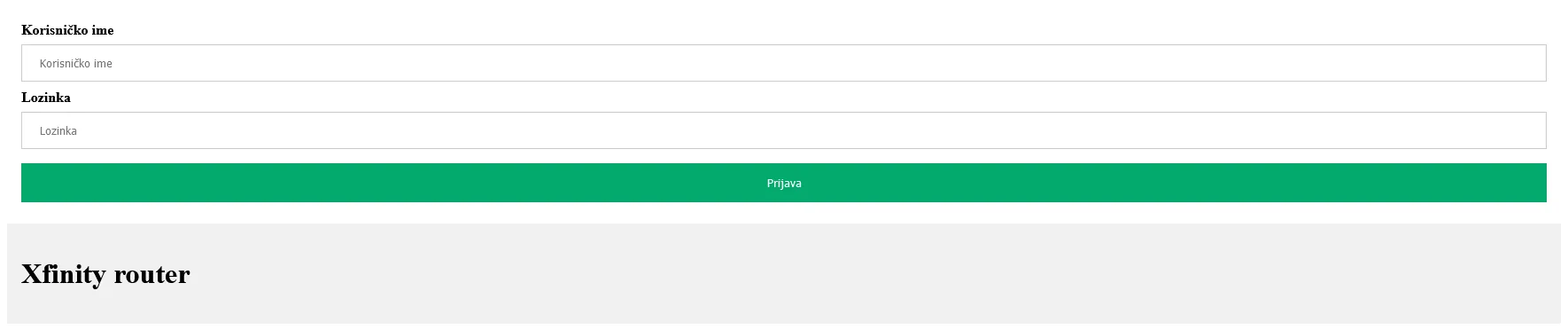
Lea told us she never changed anything after buying the router, so whatever the manufacturer set at the factory should still work.
Finding the defaults
We searched for xfinity router default username password. One of the first results was a router login guide on wisair.com (the same article now redirects to getwox.com). It listed two default pairs:
| Username | Password |
|---|---|
admin |
password |
XFSET |
become |
Lea remembered a username in capital letters, which rules out admin. We tried XFSET with become, and voilà, the page printed the flag.
Default credentials are worth checking outside CTFs too. If you have never logged in to your own router and changed the admin password, the login is probably in a list like this one.
$cat flag.txt reveal
CTF2021[794539237483]